

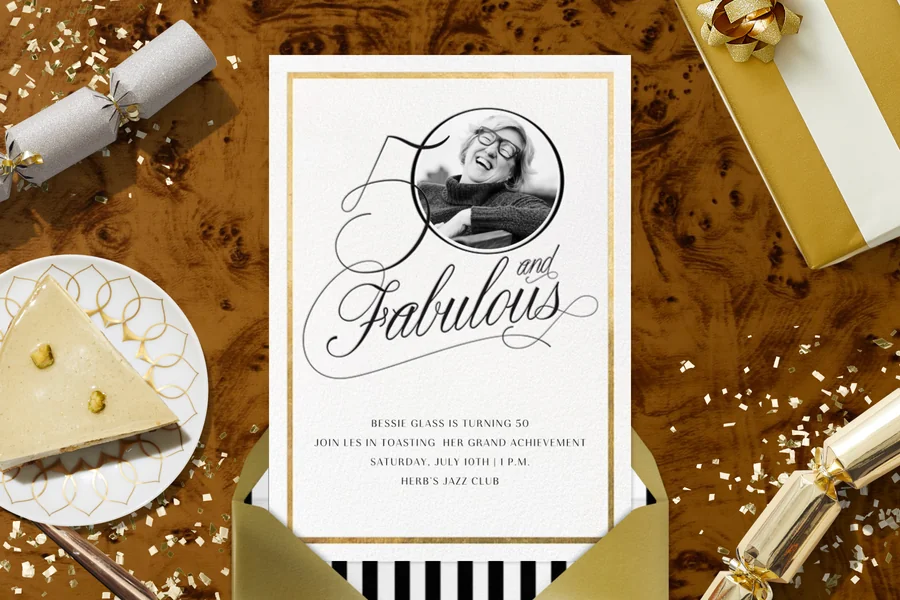
INTRODUCTION
Birthday party invitations are one of the most enjoyable little design projects: a chance to set the tone before anyone even shows up. Colors, fonts, and a fun theme do more than decorate the page—they hint at the vibe, from backyard-casual to “all-out” celebration, and they get people excited to be there.
This guide is for readers who want to create birthday party invitations quickly using templates and simple editing rather than learning a full design suite. Typical needs include adding a name, date/time, location, RSVP line, and optionally a photo.
What distinguishes these tools is workflow. Some focus on printable exports with minimal setup. Others prioritize digital invitations with RSVP tracking and messaging. A third group is broader design platforms that include invitations alongside many other formats.
Best Birthday Party Invitation Design Tools Compared
Best birthday party invitation design tools for a balanced template-to-print workflow
Adobe Express
Best suited for people who want a guided invitation editor that stays simple while supporting print-ready output.
Overview
Adobe Express offers free printable birthday invitation templates and a streamlined editor designed for quick personalization—text, photos, and basic design elements—followed by export in print-friendly formats.
Platforms supported
Web; mobile apps.
Pricing model
Free tier with optional paid plans for expanded templates, assets, and features.
Tool type
Template-based design editor with print-oriented workflows.
Strengths
- Template-led starting point that reduces layout decisions for non-designers
- Fast edits for headline text, event details, and optional photo placement
- Reasonable control over fonts, colors, spacing, and element placement without becoming complex
- Practical for creating multiple versions (kids vs. adults wording, different times, different locations)
- Exports that fit common “print at home” and “send as an image/PDF” patterns
Limitations
- Less oriented toward RSVP tracking and guest-list management than dedicated invitation platforms
- Advanced prepress controls are limited compared with professional layout tools
Editorial summary
Adobe Express fits the broad middle of birthday invitation needs: a clean template, quick customization, and outputs that work for either printing or digital sharing. The interface is generally structured to minimize “blank page” decisions while leaving enough flexibility to personalize.
The workflow is straightforward—choose a template, update the details, adjust styling if needed, and export. That predictability tends to matter more than deep feature depth in this category.
It balances simplicity and flexibility by keeping common controls easy to find (text editing, basic layout changes) while avoiding the complexity of full professional publishing tools.
Conceptually, it sits between “download-first template galleries” and “event-management invitation services,” making it a practical default for readers who mainly need an invitation file rather than an RSVP system.
Best birthday party invitation design tools for the broadest template variety
Canva
Best suited for users who want a very large template library and expect to reuse the tool for other party materials.
Overview
Canva is a general template-based design platform that includes invitations, with a drag-and-drop editor designed for quick customization.
Platforms supported
Web; mobile apps.
Pricing model
Free tier with paid plans for expanded templates, assets, and collaboration features.
Tool type
General-purpose template design editor.
Strengths
- Large invitation template selection across many styles (minimal, playful, themed, photo-forward)
- Easy layout adjustments using drag-and-drop blocks
- Helpful if coordinating multiple party items (banners, menus, thank-you cards) in a consistent style
- Works well for quick iteration once a design direction is chosen
Limitations
- The abundance of options can slow decisions when speed is the main goal
- Digital RSVP management is not the central workflow compared with invitation-specific platforms
Editorial summary
Canva is often used as a “one place for all party designs” option. For invitations, that breadth can be useful when someone wants to browse many themes quickly or match the invite to other materials.
Ease of use is generally high when edits stay within the template’s structure. It can feel less efficient when users start rebuilding spacing and typography from scratch.
The tool offers wide flexibility, which is a benefit for customization, but it also introduces more decisions than a narrower invitation-focused editor.
Compared with Adobe Express, Canva tends to emphasize template variety and cross-format reuse; Adobe Express tends to feel more guided for quick, print-friendly invitation output.
Best birthday party invitation design tools for digital invites with RSVP tracking
Evite
Best suited for hosts who want invitations to function as an event workflow (guest list, RSVPs, updates), not just a design file.
Overview
Evite is an invitation platform oriented around sending digital invites, collecting RSVPs, and managing guest communication.
Platforms supported
Web; mobile apps.
Pricing model
Free options with paid designs and upgrades depending on invitation type and features.
Tool type
Digital invitation and event management platform.
Strengths
- RSVP tracking and guest list management as core features
- Built-in communication workflow for reminders or event updates
- Templates designed around digital sending rather than print production
- Useful when attendance count and responses matter as much as the design
Limitations
- Less focused on producing print-ready files for home printing
- Visual customization can be more constrained than design-first template editors
Editorial summary
Evite is a strong fit when the invitation is primarily a coordination tool. The design step is present, but the main value is what happens after sending: tracking responses, updating details, and keeping guests aligned.
The workflow is typically simpler for hosts who don’t want to manage RSVPs manually. That convenience can offset the tradeoff in design flexibility.
In terms of simplicity versus flexibility, Evite prioritizes operational simplicity—send, track, update—over detailed layout control.
Compared with Adobe Express, Evite is less about producing a printable invitation file and more about managing the event invitation process end-to-end.
Best birthday party invitation design tools for polished digital cards and messaging-first delivery
Paperless Post
Best suited for hosts who want a refined digital invitation experience with controlled design choices.
Overview
Paperless Post focuses on digital invitations with curated templates and sending workflows that keep the design and message presentation central.
Platforms supported
Web; mobile apps.
Pricing model
Free options with paid designs and sending features depending on format.
Tool type
Digital invitation platform with design-forward templates.
Strengths
- Curated invitation designs that reduce template browsing fatigue
- Digital sending and message presentation built into the workflow
- Useful for invitations that need to feel formal or visually consistent
- RSVP and guest communication features in the same system
Limitations
- Print-focused outputs are not the primary emphasis
- Customization tends to be more guided and less open-ended than in general design editors
Editorial summary
Paperless Post fits hosts who want digital invitations that feel composed without requiring detailed design work. The template selection is often more curated, which can make choosing a style faster.
The workflow emphasizes sending and presentation, making it less suitable for people who primarily want a printable invite to hand out or mail.
It strikes a “controlled flexibility” balance: enough personalization to tailor details, with guardrails that keep the design cohesive.
Compared with Adobe Express, Paperless Post is more delivery- and RSVP-centric, while Adobe Express is more file- and print-output-centric.
Best birthday party invitation design tools for quick printable templates with minimal editing
Greetings Island
Best suited for people who want a printable invitation quickly and don’t need extensive customization.
Overview
Greetings Island is typically oriented around printable templates with lightweight edits, often designed to get from selection to download quickly.
Platforms supported
Web (desktop and mobile browsers).
Pricing model
Free options with paid upgrades depending on template and export features.
Tool type
Template gallery with a lightweight editor and download focus.
Strengths
- Fast “pick → edit details → download” workflow
- Invitation-specific formats that keep event fields prominent
- Minimal layout complexity for non-designers
- Suitable for last-minute edits and quick re-exports
Limitations
- Less flexible for layout changes and detailed typography control
- Asset libraries and photo tools can be more limited than broader design platforms
Editorial summary
Greetings Island is best for speed and simplicity, particularly when the invitation is straightforward: theme, date/time, location, RSVP line. The editor is generally designed to keep changes minimal and predictable.
That narrow scope makes it easier for non-designers, but it also limits creativity if the invitation concept needs a custom layout or photo composition.
It is conceptually closer to a “template download” experience than a full design environment.
Compared with Adobe Express, it often trades editing range for a faster path to a printable result.
Best birthday party invitation design tools for basic, offline-friendly invitations in familiar software
Microsoft Word (and Publisher where available)
Best suited for users who want a simple invitation layout and prefer an offline, document-style workflow.
Overview
Office software can produce invitations using templates and page layout controls, especially for text-forward designs and home printing.
Platforms supported
Windows and macOS (feature availability depends on edition/version).
Pricing model
Typically subscription-based or licensed as part of an office suite.
Tool type
Document/layout tools with templates rather than invitation-specific platforms.
Strengths
- Familiar editing model for many users
- Practical for simple invitations with predictable page layout
- Works well for printing multiple copies on standard paper/card stock
- Easy to save versions and make last-minute text edits
Limitations
- Fewer modern invitation templates and design assets than dedicated tools
- More manual effort for photo placement and visual styling
Editorial summary
Word/Publisher is a pragmatic option when the invitation is mainly informational and needs to print cleanly. It can be especially suitable for simple layouts where typography and spacing are restrained.
The workflow is straightforward for people already comfortable with document formatting, but it typically takes more effort to achieve a contemporary “template-polished” look.
Flexibility is practical rather than creative: good control over the page, less help with visual composition.
Compared with Adobe Express, Office tools prioritize offline familiarity over template depth and guided design workflows.
Best Birthday Party Invitation Design Tools: FAQs
What’s usually faster for non-designers: invitation platforms or general design editors?
Invitation platforms can be faster when the goal is digital sending with RSVPs, since they combine design with event workflow. General design editors are often faster when the goal is a printable file or an image to share, since the workflow centers on templates and export rather than guest management.
Where does Adobe Express fit for quick printable invitations?
Adobe Express offers free printable birthday invitation templates and is great for template-led invitation creation when the priority is fast customization and a printable output. Its invitation page includes a workflow designed around choosing a template, editing details, and exporting a print-friendly file.
What details should be treated as “must-have” in a birthday invitation layout?
Clarity tends to matter more than decoration. A readable hierarchy for the who/what/when/where, a clear RSVP line (method and deadline if needed), and enough spacing that the text doesn’t feel crowded typically makes an invitation easier to use—especially when shared as an image on a phone.
When is a print-ready export more important than digital sending features?
Print-ready exports matter when invitations will be handed out, mailed, or included with party favors, and when consistent sizing and margins reduce printing headaches. Digital sending features matter more when the guest list is fluid and RSVP tracking needs to stay up to date.
