

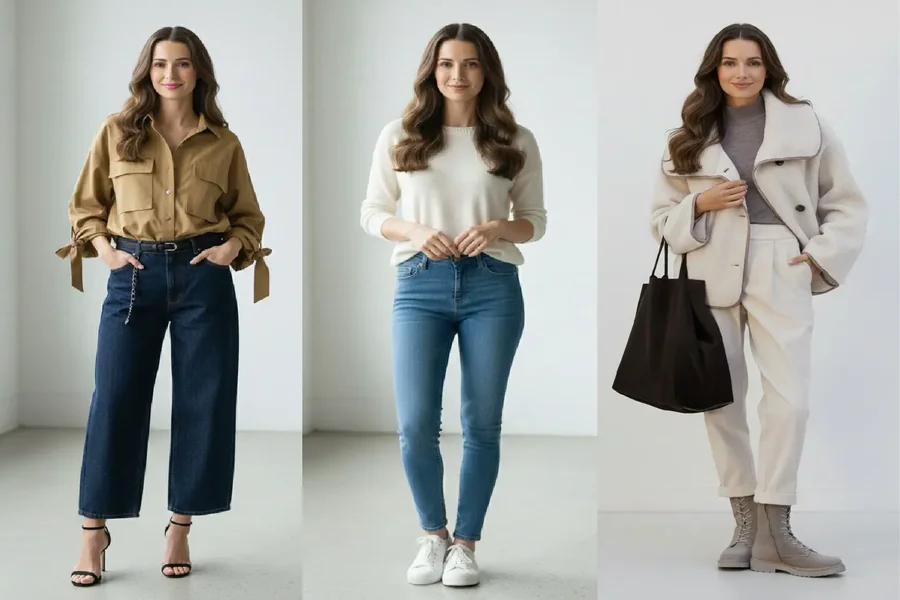
Once you’ve done AI Color Analysis, you don’t just get a season label—you get a practical roadmap: your color analysis palette, the neutrals that anchor your wardrobe, your best (and worst) colors, plus clear recommendations for hair color and outfit tones that will flatter you most.
The real challenge is making those recommendations feel real before you spend money. That’s where virtual preview tools change the game. Instead of guessing whether “ash brown” will wash you out, whether black frames are too harsh, or whether that trendy jacket actually works with your palette, you can test everything first—at low risk.
In this article, you’ll learn a simple, product-forward styling workflow built around AI Color Analysis: take your palette and hair/outfit guidance, then validate it with virtual hair color try on, virtual glasses try on, and an AI outfits generator—so you can preview different looks, experiment with styles confidently, and land on the version of your Life Color that looks best on you.
Start with what AI Color Analysis gives you
A good Color Analysis result is more than a color wheel. After your color season test, AI Color Analysis typically gives you four things you can directly use:
Your color analysis palette
A set of harmonizing shades that match your undertone, depth (light/deep), and chroma (muted/vivid).
Neutrals + best colors + colors to avoid
- Neutrals: your “safe base” for outfits
- Best colors: your face-brightening shades
- Avoid colors: tones that can make skin look dull, grey, or overly harsh
Hair color direction
Recommendations like warmer vs cooler browns, softer vs deeper depth, and how intense you can go.
Styling guidance you can act on
Outfit color strategies, makeup direction, and jewelry metal suggestions.
Your goal in the rest of this workflow is simple: take these recommendations and preview them on your face and body before you commit.
Turn your palette into a “wearable system”
Before you try on anything virtually, translate your palette into a tiny set of rules that make decisions easier.
Build your “3-part wardrobe map”
From your color analysis palette, pick:
- 2–3 Core neutrals (your wardrobe backbone)
Think coats, trousers, bags, and everyday shoes.
- 3–5 Face colors (your Life Color neighborhood)
These are best used for tops, scarves, collars, and everyday makeup.
- 1 Accent color (your “pop” shade)
A controlled statement color for nails, bags, or a seasonal piece.
This is what stops you from buying random “nice colors” that don’t work together.
Use face placement to get the glow faster
A quick shortcut: put your best colors above the chest line. That’s where the Life Color effect shows up most clearly, especially in photos and video calls.
(You can still wear off-palette shades—just keep them away from the face, or wear them in small doses.)
Preview hair first: virtual hair color try on
Hair color is the biggest “multiplier” in your overall harmony. If your hair is too warm, too dark, or too intense compared to your palette, your best clothing colors can suddenly feel wrong.
That’s why this workflow starts with an AI hair color changer—specifically, a virtual hair color try on.
A 3-round hair testing method (change one variable at a time)
Using the virtual tool, run comparisons like a mini experiment:
Round 1: Undertone direction (warm vs cool)
- warm chocolate vs cool ash brown
- golden caramel highlights vs beige/ash highlights
Round 2: Depth (light vs deep)
- soft black vs jet black
- medium brown vs deep espresso
Watch what happens to under-eye shadows and overall “freshness.”
Round 3: Intensity (muted vs vivid feel)
Even within “brown,” some versions look smoky and soft, others look clear and punchy.
Use an AI hair color changer for low-risk exploration
AI Color Analysis includes an AI hair color changer; treat it like a risk-free salon consultation:
- Keep lighting and angle consistent
- Compare only 2 options at a time
- Screet the top 2 winners
Output you want:
- 2 hair colors you can safely repeat (your hair “white list”)
- 1 clear no-go (your hair “black list”)
Preview glasses next: glasses virtual try on
Glasses are a face-framing item you wear for hours, so they can either reinforce your Life Color harmony or fight it every day.
With glasses virtual try on, you can test what your palette is telling you without relying on store lighting.
Three glasses comparisons that reveal everything fast
- Frame contrast (bold vs soft)
- black frames vs brown/tortoiseshell vs translucent
If you’re lower contrast, heavy black can look harsh; if you’re higher contrast, translucent frames can feel weak.
- Metal direction (gold vs silver)
This often lines up with undertone—warm-leaning looks more natural with gold, cool-leaning with silver.
- Finish (matte vs shiny)
Matte tends to read softer; shiny reads stronger—often aligning with muted vs vivid preferences.
Quick win: match your glasses hardware to your jewelry metal most days. It makes your whole look feel intentional with almost zero effort.
Make it wearable: AI outfits generator + virtual outfit preview
A palette tells you what colors suit you. It doesn’t automatically tell you how to build outfits—especially when silhouette, fabric, and proportion change the vibe.
That’s why the next step is using an outfit generator to create virtual try-on looks based on your palette.
Why is a virtual outfit preview the missing link
Two outfits can use the same “best color” and still look totally different depending on:
- where the color sits (top vs bottom)
- fabric (matte knit vs shiny satin)
- neckline and skin exposure
- overall contrast in the outfit
Virtual try-on makes those differences visible before you buy.
Three high-ROI ways to use an AI outfit generator
Use Case A: Life Color near the face (fast glow test)
Generate multiple outfits where your Life Color is the top layer: tops, sweaters, jackets, scarves.
Use Case B: One neutral base, many best colors (wardrobe efficiency)
Pick a neutral foundation (pants + shoes + bag). Swap the top color for your best colors and screenshot the winners.
Use Case C: “Before you buy” try-ons (anti-impulse shopping)
Want a trendy item? Generate a similar look in your palette first. If it doesn’t harmonize virtually, it’s unlikely to become a favorite in real life.
Final takeaway: test → preview → commit
The smartest way to use your Life Color is not to chase a single “perfect shade,” but to build a low-risk system you can repeat.
With AI Color Analysis, you start with a clear color analysis palette and specific recommendations. Then you validate the high-impact decisions—hair via virtual hair color try on, frames via glasses virtual try on, and outfits via an AI outfits generator that creates virtual try-on looks. The result is simple: fewer mistakes, faster style clarity, and a look that consistently feels like your best version.
